Google Ads Change History
See what changed in Google Ads, when it changed, and who changed it.
Turns your exported Google Ads change history into a searchable dashboard, with campaign, category, before-and-after values, and timestamps in one place.
- No dependencies
- Runs fully offline
- Built-in self-test

Search and filter
Find the change you're looking for.
Filter by account, campaign, date, or category. Open any record to see the full change.
| Campaign | Change |
|---|---|
| Campaign AlphaBudget | 150,000200,000 |
| Campaign AlphaAd Group 1Bidding | 3.504.20 |
| Campaign BetaBudget | 80,000100,000 |
| Campaign AlphaStatus | EnabledPaused |
| Campaign GammaBudget | 50,00045,000 |
| Campaign AlphaStatus | EnabledPaused |
Showing 6 of 10 changes
Before / After
Old and new values, side by side.
Open a record to see the previous value, new value, campaign, and timestamp in one place.
Campaign Alpha
BudgetAccount A · Aug 1, 2026 · 9:12 AM
Campaign Alpha
BiddingAccount A · Aug 1, 2026 · 9:15 AM
Campaign Alpha
StatusAccount A · Aug 4, 2026 · 8:40 AM
Campaign Gamma
BudgetAccount B · Aug 6, 2026 · 10:00 AM
Activity
Track account and campaign activity.
See change volume by account and the latest change date for each campaign.
| Campaign | Last change |
|---|---|
| Campaign Beta | 14 days since last change |
| Campaign Alpha | 13 days since last change |
| Campaign Gamma | 11 days since last change |
| Campaign Delta | 10 days since last change |
| Campaign Alpha | Changed today |
Rule matches
Set the thresholds that matter to you.
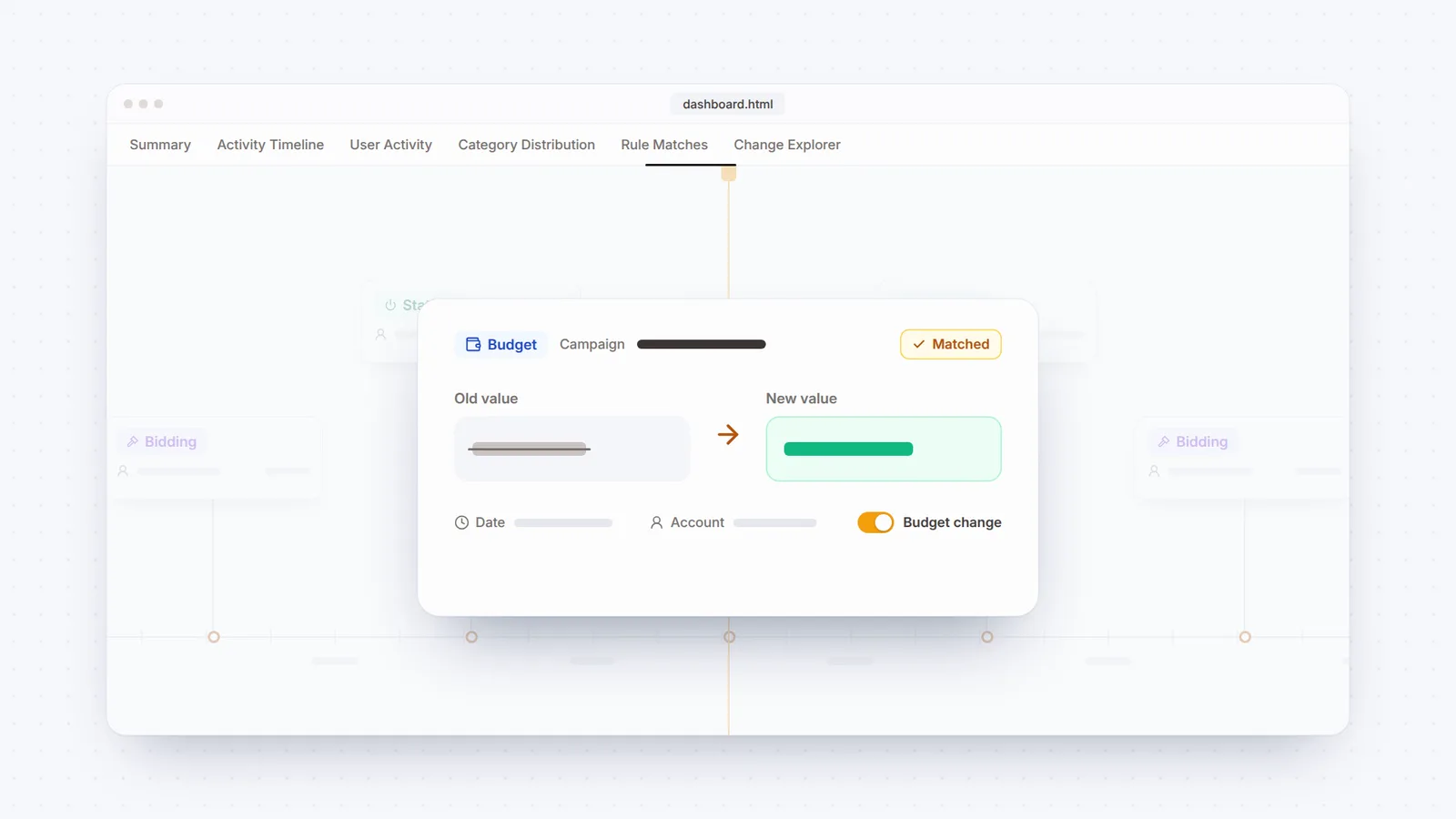
Define thresholds for budget, Target CPA, Target ROAS, or bid changes. You can also track structural changes such as pauses and removals. Matches are shown, not scored.
| Campaign | Change |
|---|---|
| Campaign AlphaAccount A · Aug 1, 2026 · 9:12 AMBudget ±20% | 150,000200,000+33% |
| Campaign BetaAccount A · Aug 3, 2026 · 2:22 PMBudget ±20% | 80,000100,000+25% |
| Campaign AlphaAccount A · Aug 4, 2026 · 8:40 AMCampaign paused | EnabledPaused |
| Campaign AlphaAccount B · Aug 17, 2026 · 9:45 AMCampaign paused | EnabledPaused |
Matched the ±20% rule you set
It shows what changed. You decide what it means.
The dashboard doesn't score or rank changes as good, bad, or risky.
Single file
The dashboard runs as a single HTML file.
No server, CDN, or external dependency required.
Open it locally, archive it, or share it.
Install
No account or API key required. It works locally from your exported file.
- 1
Install it, or run the script directly
/plugin marketplace add ali-demirbas/google-ads-change-history-dashboard/plugin install google-ads-change-history-dashboard@google-ads-change-history-dashboard - 2
Run the self-test
Run the built-in checks with a single command.
python3 ads_change_history.py self-test - 3
Read the repo
It doesn't stay quiet on errors. Ambiguous dates or unknown columns stop the run instead of being silently interpreted.
FAQ
Frequently asked questions
Does it read my Google Ads account directly?
Not by default. The tool reads the file you export. If you have API access, you can use fetch_live_data.py in the repo to pull change history directly.
Which export formats does it accept?
CSV, TSV, and flattened ChangeEvent JSON. XLSX files and Google Sheets URLs aren't read directly.
Does the dashboard need to be online?
No. The dashboard is a single HTML file with no CDN dependency. All data is processed in the browser.
Can I share it without exposing who did what?
Yes. --mask-users replaces names and email addresses with labels such as User A and User B. Account and campaign names remain unchanged.
If this work overlaps with yours, let's talk.
Send me a note about growth, CRM, measurement or one of the projects here. A question, a counterpoint or a simple hello all work.