What is email automation? Flows, examples and tools
Email automation sends an email when a person meets a rule you set once. How triggers, exits and re-entry work, with flow examples and what to check in a tool.
14 min read
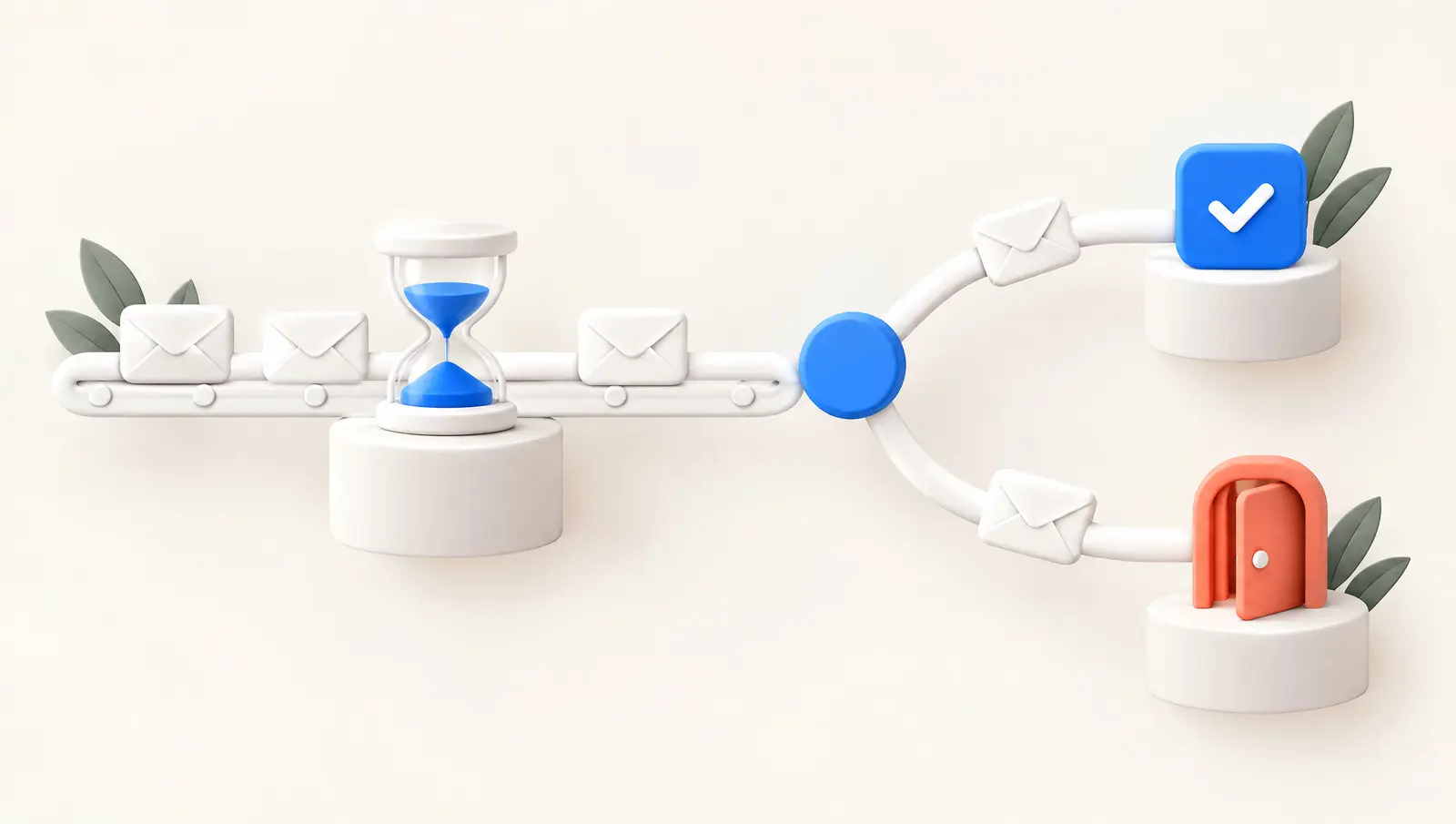
Email automation is sending email from rules you set once, instead of pressing send for every message. A trigger, such as a signup, a purchase or a date, adds a person to a flow. Waits and conditions then decide what that person receives next, and an exit condition takes them out.
A checkout reminder shows the parts at work. It starts when a shopper leaves checkout, waits a set time and checks for an order. It sends only if there is still no order, and a purchase stops every remaining message.
The difference from a regular campaign is who sets the timing. A campaign goes to a list at a time you choose. An automated email goes to one person when that person meets the rule. Two subscribers on the same list can receive the same flow weeks apart.
The step-by-step versions of these flows live in the site's journey library, which maps 55 cross-channel flows with their triggers, waits, branches and exits. Platform features and pricing are compared in a separate post.
Email automation vs email campaigns
A campaign and an automation can carry the same email, but they answer four questions differently.
Question: Who receives it
- Email campaign
- A list or segment you pick
- Email automation
- Each person who meets the trigger
Question: When it sends
- Email campaign
- A date and time you set
- Email automation
- When an event, segment or date rule is met
Question: When new people can join
- Email campaign
- Until the send goes out
- Email automation
- Until you switch it off
Question: What ends one person's path
- Email campaign
- The send itself
- Email automation
- An exit, a goal or the last step
| Question | Email campaign | Email automation |
|---|---|---|
| Who receives it | A list or segment you pick | Each person who meets the trigger |
| When it sends | A date and time you set | When an event, segment or date rule is met |
| When new people can join | Until the send goes out | Until you switch it off |
| What ends one person's path | The send itself | An exit, a goal or the last step |
Timing decides which one fits. A product launch suits a campaign, because everyone should hear about it on the same day. A welcome email suits an automation, because only each subscriber's own signup time can set its date.
The same name is also used for two other jobs. Inbox automation connects a mailbox to other apps, and sales sequences send one-to-one follow-ups from a rep's own mailbox. Both use triggers and delays, but everything below is about marketing and lifecycle flows sent from an email or customer engagement platform.
How an automated flow works: trigger, steps and exit
Platforms name the parts of a flow differently, but Mailchimp's help article About Marketing Automation Flows gives a plain vocabulary for them. A trigger is "an event or action that adds a contact to a flow". Steps follow it: rules such as delays, splits and waits, and actions such as sending an email or adding a tag. An exit condition is the event or action that removes a contact from the flow.
Filters sit between the trigger and the steps. Klaviyo's guide to flow triggers and filters separates two kinds. A trigger filter narrows the event itself, for example orders that contain one product category. A profile filter checks the person, once at entry and again before each message.
A check can lead to four different results. In Klaviyo, someone who fails a profile filter at entry does not enter the flow. Someone who fails it before a message skips that message and moves on to the next step.
A branch, such as Mailchimp's conditional split, sends contacts down one of two paths instead. An exit condition takes them out of the flow altogether.
The difference shows after a purchase. Klaviyo's abandoned cart example triggers on a started checkout and sends only to people who have not ordered since. A buyer is not removed from that flow, but the filter fails before each later message, so every remaining message is skipped.
Two more details from the same Klaviyo article are worth knowing before you build. Opens and clicks on email cannot trigger a flow there. A flow's trigger also cannot be changed once it is set. A different trigger means copying the flow and checking every filter that depended on the old one.
Email automation flows and examples by trigger
Grouping flows by what starts them shows which data each one needs. Klaviyo lists six trigger types: added to list, added to segment, metric, date property, price drop and low inventory. Customer.io's page on automation triggers, filters and frequencies lists attribute or segment, event, form submission, important date, object and webhook triggers. Geofence triggers are limited to its Premium and Enterprise plans.
Across those lists, the starting points fall into six groups. Each item names an example from the journey library, where the full flow is mapped:
- Joins a list or submits a form. A welcome series starts here. Klaviyo's own example sends one email at signup and two or three more, a few days apart.
- Takes an action. A tracked event such as adding to cart or placing an order starts the flow. The cart reminder journey shows where such a flow ends and checkout recovery takes over.
- Does not finish something, or goes quiet. An expected event has not happened within a set window. The registration completion journey starts once a signup has stayed unfinished for 30 minutes. That can be built as the signup event plus a wait and a completion check, or as a segment of people whose signup is still open. The unengaged subscriber sunset answers a defined period without engagement by reducing marketing pressure.
- Crosses a threshold. A score or segment rule changes, such as a churn risk score. The tiered churn intervention journey picks its response by risk level.
- Reaches a date. A trial end, a renewal or a birthday starts the flow before or on the day. The trial expiry reminder uses the last seven, three and one days of a trial.
- Something changes on your side. A payment fails, a price drops or stock runs low. The payment failure recovery journey acts on the reason the payment system reports.
A series of prewritten emails sent on a preset timing after a trigger is often called a drip campaign. It runs until the last email, or until an exit stops it. How drip differs from nurture and from journeys is explained in a separate post.
Re-entry and existing contacts: defaults differ by platform
Whether a person can go through the same flow twice is set by its re-entry rule, and the default is not the same everywhere. The table lists the defaults each vendor documents for a new flow, by trigger type.
Platform: Klaviyo
- Trigger
- List or segment
- Default re-entry
- No re-entry
Platform: Klaviyo
- Trigger
- Metric (an event)
- Default re-entry
- Allowed
Platform: Klaviyo
- Trigger
- Date property
- Default re-entry
- Allowed, repeats with the date
Platform: HubSpot
- Trigger
- Workflow triggers
- Default re-entry
- First time only
Platform: Customer.io
- Trigger
- Attribute or segment
- Default re-entry
- Once
Platform: Customer.io
- Trigger
- Event or form submission
- Default re-entry
- Every time
| Platform | Trigger | Default re-entry |
|---|---|---|
| Klaviyo | List or segment | No re-entry |
| Klaviyo | Metric (an event) | Allowed |
| Klaviyo | Date property | Allowed, repeats with the date |
| HubSpot | Workflow triggers | First time only |
| Customer.io | Attribute or segment | Once |
| Customer.io | Event or form submission | Every time |
Based on Klaviyo's article on segment- and list-triggered flows, HubSpot's workflow enrollment settings and Customer.io's triggers page, as of November 2026.
A welcome series that should run once and a cart reminder that should run for every cart need opposite settings. So the default to check is the one for each trigger type, not one rule for the whole account. HubSpot's guide to re-enrollment triggers adds a condition: a record won't re-enroll while it is still enrolled, only after it has exited.
Re-entry and a frequency cap are separate controls. Re-entry decides whether a person can start a flow again, while a cap decides whether a given message can send. For event triggers, Customer.io also offers a setting that lets a person enter only once within a time period.
Two more defaults decide who enters, and they answer different questions. The first is who enters when a flow goes live.
Mailchimp's help article says flow triggers apply only to actions after the flow is activated. Klaviyo's segment-triggered flows start only for profiles whose data newly brings them into the segment. Current members are not added unless you add past profiles to the flow.
Customer.io adds a rule for dates. If a date-triggered automation is activated after that day's trigger time, people whose date is today wait for the next occurrence under its frequency setting.
The second question is who enters when data arrives after launch. Klaviyo says importing profiles into a list triggers its list-triggered flows, so an imported list of existing subscribers enters the welcome series. It suggests turning those flows off before importing. Customer.io's attribute or segment trigger, launched in April 2025, lets backfilled people start an automation right away, whatever the age of their data.
Customer.io's documentation suggests a time condition on the trigger when older records should stay out. Activation and later imports are separate cases, and each is worth a test of its own.
Frequency caps and exit conditions handle overlapping flows
Each flow is built on its own, but one person can qualify for several of them in the same week. Braze's frequency capping documentation lets a workspace set up to 10 rules, such as one push per day and three per week. It counts days by the user's local calendar day, not as rolling 24-hour periods.
The detail that matters is what a cap does to a flow. Braze says global frequency capping does not exit a user from a Canvas, its name for a flow. The capped message is not sent, and the user still advances to the next step. So in Braze a cap decides which email is lost, not which one waits.
Braze also lets a single campaign switch the cap off. Its example is a delivery app that should confirm a delivery however many messages the user has already received.
Hypothetical example: one shopper in three flows
A hypothetical example shows how a cap and an exit condition interact. A shopper signs up on day 1, which starts a welcome series with emails on days 1, 2 and 4. On day 1 they also view a product and leave, so a browse reminder is due on day 2.
On day 2 the welcome email goes out in the morning and the browse reminder is due in the afternoon. At midday the shopper starts checkout and leaves, which schedules checkout reminders for days 3 and 5. The example assumes no purchase and counts marketing email only.
That plans six emails in five days, two of them on day 2. The cap allows one marketing email per local calendar day and skips the rest, as Braze describes. The table keeps two outcomes apart: an email cancelled because its flow exited, and an email skipped by the cap.
Setup: No cap, no exit
- Cancelled by exit
- 0
- Skipped by cap
- 0
- Sent
- 6
Setup: Cap of 1 a day
- Cancelled by exit
- 0
- Skipped by cap
- 1, browse reminder
- Sent
- 5
Setup: Cap, browse exit, midday checkout
- Cancelled by exit
- 1, browse reminder
- Skipped by cap
- 0
- Sent
- 5
Setup: Cap, browse exit, evening checkout
- Cancelled by exit
- 0
- Skipped by cap
- 1, browse reminder
- Sent
- 5
| Setup | Cancelled by exit | Skipped by cap | Sent |
|---|---|---|---|
| No cap, no exit | 0 | 0 | 6 |
| Cap of 1 a day | 0 | 1, browse reminder | 5 |
| Cap, browse exit, midday checkout | 1, browse reminder | 0 | 5 |
| Cap, browse exit, evening checkout | 0 | 1, browse reminder | 5 |
The cap kept the shopper to one email a day, but it chose the skipped email by clock time, not by importance. If the welcome email had been due after the browse reminder instead, the cap would have dropped the welcome email and kept the reminder.
The exit cancelled the browse reminder only when checkout started before the reminder was due. In the evening case the reminder was already due, so the cap skipped it instead. Under these assumptions, exits handle the overlaps you can predict, and the cap catches the rest.
Transactional and marketing automations follow different rules
In the US, the rules for an automated email depend on its primary purpose. The CAN-SPAM Act's definitions in 15 U.S.C. 7702 set that test. A message is commercial when its primary purpose is "the commercial advertisement or promotion of a commercial product or service".
A transactional or relationship message exists to confirm a transaction the recipient already agreed to, update an ongoing account or deliver goods already agreed to. The same section says a commercial message does not include a transactional or relationship message.
An automated email can mix the two, such as an order confirmation that also promotes other products. The Federal Trade Commission (FTC) rule for such messages is 16 CFR 316.3, in the Code of Federal Regulations (CFR).
The rule treats a mixed message as commercial in two cases. One is a subject line that would lead the recipient to conclude it is commercial. The other is transactional content that does not appear, in whole or in substantial part, at the beginning of the body.
The requirements in section 7704 of the same title then split. Materially false or misleading header information is unlawful in both kinds. The opt-out rules apply to commercial messages only. The opt-out must keep working for at least 30 days after sending, and a request must be honored within 10 business days.
A cart reminder does not confirm a transaction the recipient agreed to, so it most likely counts as commercial. That reading is an inference from the definitions, and it depends on what the message contains. The FTC also publishes a compliance guide on the law. None of this is legal advice.
Mailbox providers add their own layer, separate from the law. The email deliverability guide covers why transactional, lifecycle and campaign email belong on separate streams. It also covers the rules Gmail, Yahoo and Microsoft set for bulk senders.
Email automation tools: what to check in the help pages
When you choose a platform, the settings above tell you more than its gallery of flow templates. The CRM and marketing automation tools comparison covers eleven customer relationship management (CRM) and engagement platforms on channels, journey builders and pricing. Before choosing, read the help pages of the ones you shortlist with four questions in mind.
Start with triggers. Can the platform receive the events your site or app already records, such as a started checkout or a failed payment? Can those events carry properties for filters, such as product category or order value?
Next come the defaults. Look up re-entry for each trigger type, who enters at activation and after an import, and whether a trigger can be edited after launch. The re-entry table above shows how far these differ between three vendors.
Plan limits are a third check. As of November 2026, Mailchimp's help article allows up to 3 triggers per flow on its Standard plan or higher. It allows up to 4 steps per flow on Essentials or higher and up to 200 on Standard or higher.
Last, look at how a flow can be measured. Braze's guide to creating a Canvas lets you add a variant that receives no messages. Braze tracks that group's conversions over the same period as the messaged variants.
Measuring an automated flow
Opens and clicks describe how people react to a flow's emails, but not whether the flow changed what they do. Some people who buy after entering a flow would have bought anyway. So purchases after entry are not the flow's effect on their own.
A randomized holdout estimates what the flow adds. A random share of eligible people enter the flow but receive none of its messages, and both groups are followed for the same period. People in the holdout still get your other messages unless they are excluded elsewhere. The comparison therefore shows what this flow adds on top of them.
The Cart Reminder page in the journey library describes this design for cart recovery, with random assignment at entry. Most other journey pages list the metrics to track for their flow rather than a test design. Testing one email inside a flow is a separate question from testing the whole flow.
For delivery, open, click and unsubscribe rates per email, the email performance calculator does the arithmetic. Those rates show where a flow loses people, while the holdout estimates whether the flow adds anything.
Before you switch a flow on
A short pre-launch pass catches most of the problems described above:
- Write the trigger as one sentence, with the event or date and any filter.
- Write the exit: the event that makes the flow pointless, such as a purchase or a checkout start.
- Set re-entry for this trigger type instead of relying on the default, and set the frequency cap separately.
- Decide who enters when the flow goes live, and test separately what happens when contacts are imported or backfilled later.
- Check the flow against your frequency cap and against the other flows the same person can be in.
- Run a test profile through every branch, including the one that exits early.
- Keep a random holdout from the first day, so the flow's effect can be measured later.

What to read next
 November 14, 2026Email segmentation ideas: 10 examples with data and measurementTen email segmentation ideas, each with the data it needs, a concrete example and a way to measure its effect with a control group from the same segment.
 November 14, 2026How to increase customer lifetime value: choose a lever and measure itWhich of five levers raises customer lifetime value most depends on your starting numbers. Pick the lever from your data and measure it with a control group.
 November 14, 2026What is a customer journey? Stages, map and examplesA customer journey is what a customer goes through to reach a goal. How to choose its stages, map it and check the map against data, with an example.